Customer
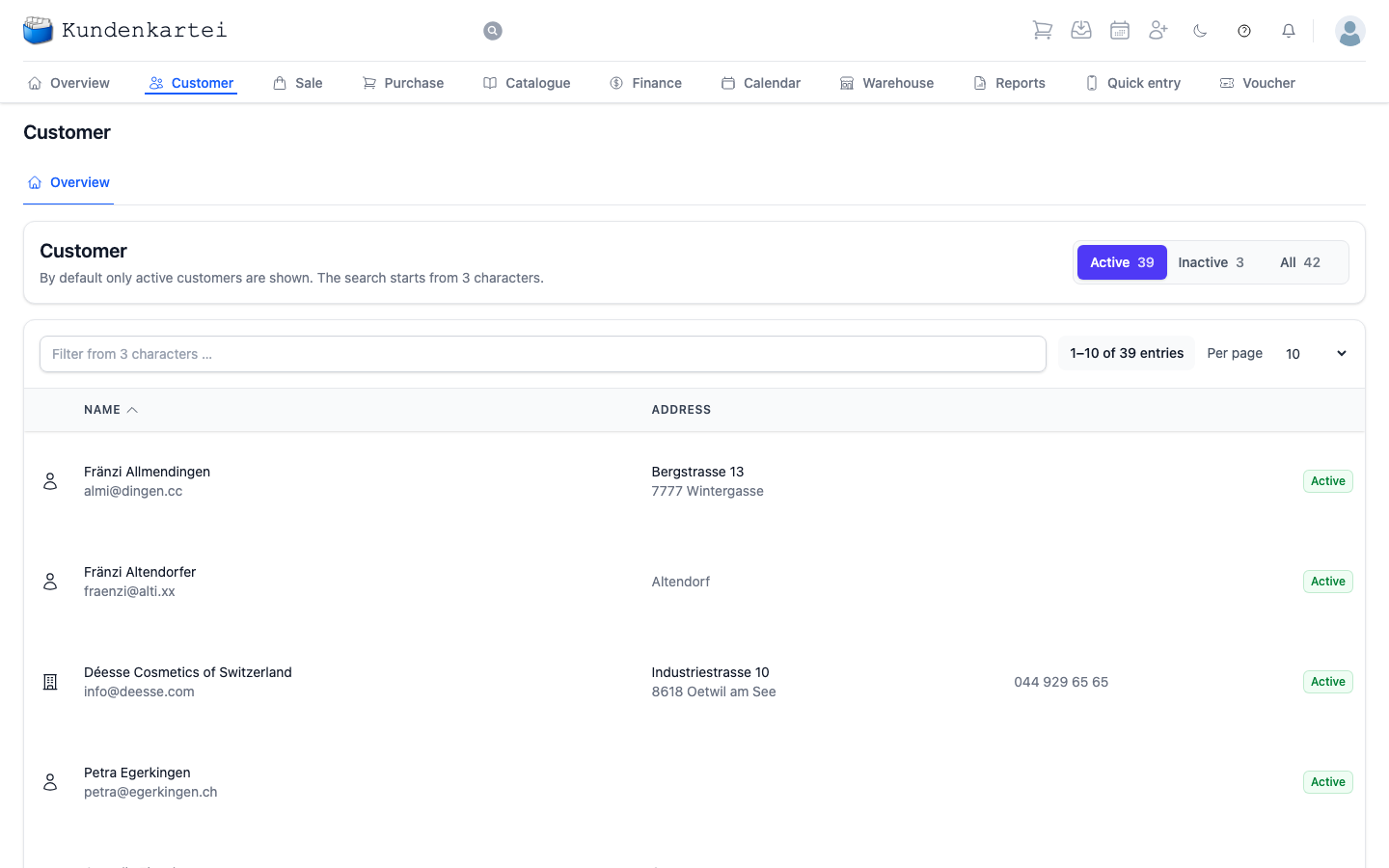
Customer is your card index. Every customer, every company, every contact is here — and from here the path leads to everything you have recorded about her.
Active, inactive, all
Three switches sit at the top right, each with a figure beside it. Active is preselected: you see only the customers you are currently working with.
Inactive are the ones you have retired. They are not deleted — their orders, invoices and notes are kept in full. If a customer seems to be missing, look here first.
All shows both together. The figure beside it is the sum of the other two.
Searching and paging
The search field takes effect from three characters. It searches the whole row — name, address and e-mail address alike. Two letters are not enough; that is not a fault.
Beside it you are told how many entries exist and which of them you are seeing. Per page sets how many rows appear at once.
What a row shows
The symbol on the far left distinguishes two kinds of entry: a person or a building. The building stands for a company — a supplier, for instance. Both live in the same index.
Beside it are the name and e-mail address, then the address, then the telephone number if one has been recorded. On the far right a marker says whether the entry is active.
If a column is empty, the detail is simply missing. The index does not require everything to be filled in — a customer with a name and nothing else is a valid entry.
Sorting is done through the column titles. A click on Name reverses the order.
Cleaning up duplicate customers
If a customer appears twice or three times after a double import, clean it up under Settings › Clean-up.
Where to begin
- Looking for a customer — three characters are enough, whether name, town or e-mail
- Cannot find someone? Switch to All. She is very probably inactive
- Who is missing from the index? The quick action in the header adds a new customer
Next
- Adding a customer — step by step, with every field
- Sale — the orders belonging to these customers
- Reports — mailings and exports from customer groups