Catalogue
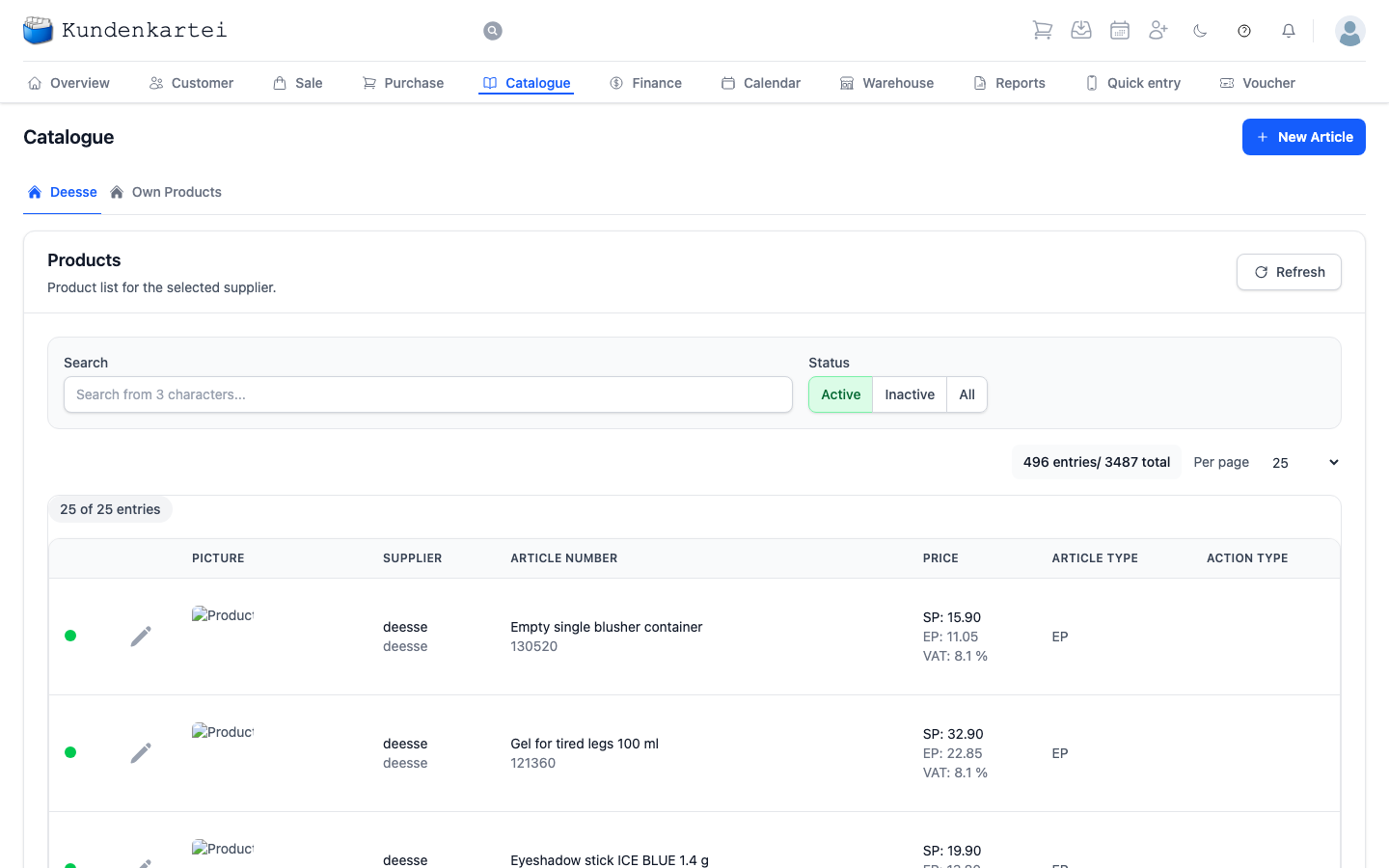
The Catalogue holds what you are able to sell: your supplier’s articles and your own.
Two tabs, two origins
Deesse shows your supplier’s catalogue. These articles reach you ready made — number, description and prices are maintained from outside and can only be read on the article. What belongs to you, you still enter on the article:
- Minimum quantity and Opening Stock in the Stock settings block
- the Posting accounts: Income account, Expense account and Own-use account
- under Additional options, the option “Items not included in savings”
If you change the minimum quantity, the posting accounts or the savings option, the article deviates from the catalogue. Below such a field it says “Deviates from the default”, with Reset to default beside it. The reset only happens when you save; until then it says “Will be reset to the default when you save”. The opening stock belongs to your warehouse and has no default.
Own Products are yours. Treatments, services, everything you offer yourself. The New Article button at the top right adds one.
In both tabs, Refresh reloads the list.
Searching and filtering
Three fields side by side:
- Search takes effect from three characters, across description and article number
- Status shows either only Active, only Inactive or All — Active is preset
- Entries per page sets the length of the list
Below them it says which entries you are seeing and how many match your filter. If the filter leaves something out, a second figure follows: “/ … total” counts the whole catalogue. If you only see active articles, the first figure is therefore smaller.
You page with Back and Next; between them it says which page you are on.
What a row shows
The coloured dot on the far left says whether the article is active. The pencil symbol beside it opens it.
| Column | Content |
|---|---|
| Picture | the product picture, where one exists |
| Supplier | where the article comes from |
| Article number | description, with the number below it |
| Price | selling price, purchase price, VAT rate |
| Article Type | the type as a short code, such as “EP”, “Set” or “SERVICE” |
| Action type | “Aktion” if the article is run as a promotion, otherwise “---” |
In the Price column, SP is the selling price — what the customer pays. EP there is the purchase price — what you pay. The margin between them is yours.
The “EP” in the Article Type column is something else: it is an article type, not a price. Only articles of this type and sets have the Stock settings block.
A dash in a price means none is stored.
A pair of dates may appear below the number. It limits the article’s validity to that period.
Where to begin
- Does the article still exist? Search, and switch to All if nothing comes back
- What do I earn on it? Selling price less purchase price in the same row
- Adding a service of your own — the Own Products tab, then New Article
Next
- Adding and managing products — creating and maintaining articles
- Quick entry — putting articles on keys
- Warehouse — what of it is on your shelves