Adding a customer
Customer management is the central module for recording, maintaining and organising customers, suppliers and their contact information – for both private individuals and companies.
A note on terminology: the German original uses the feminine form “Kundin”. It is meant generically here and includes people of all genders.
1️⃣ Contact types
Kundenkartei distinguishes the following contact types:
| Type | Description |
|---|---|
| Customer | Receives products, services, invoices |
| Supplier | Supplies products or services |
| Private individual | Natural person |
| Company | Legal entity or organisation |
🔄 A person or company can be a customer and a supplier at the same time.
2️⃣ Creating a new customer or company
Step 1: start from the top navigation
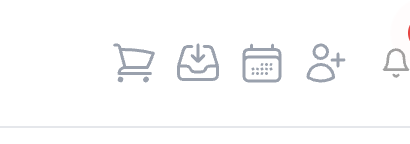
There you choose:
- Private individual
- Company
The matching entry forms are then available to you.
3️⃣ Entering and editing customer data
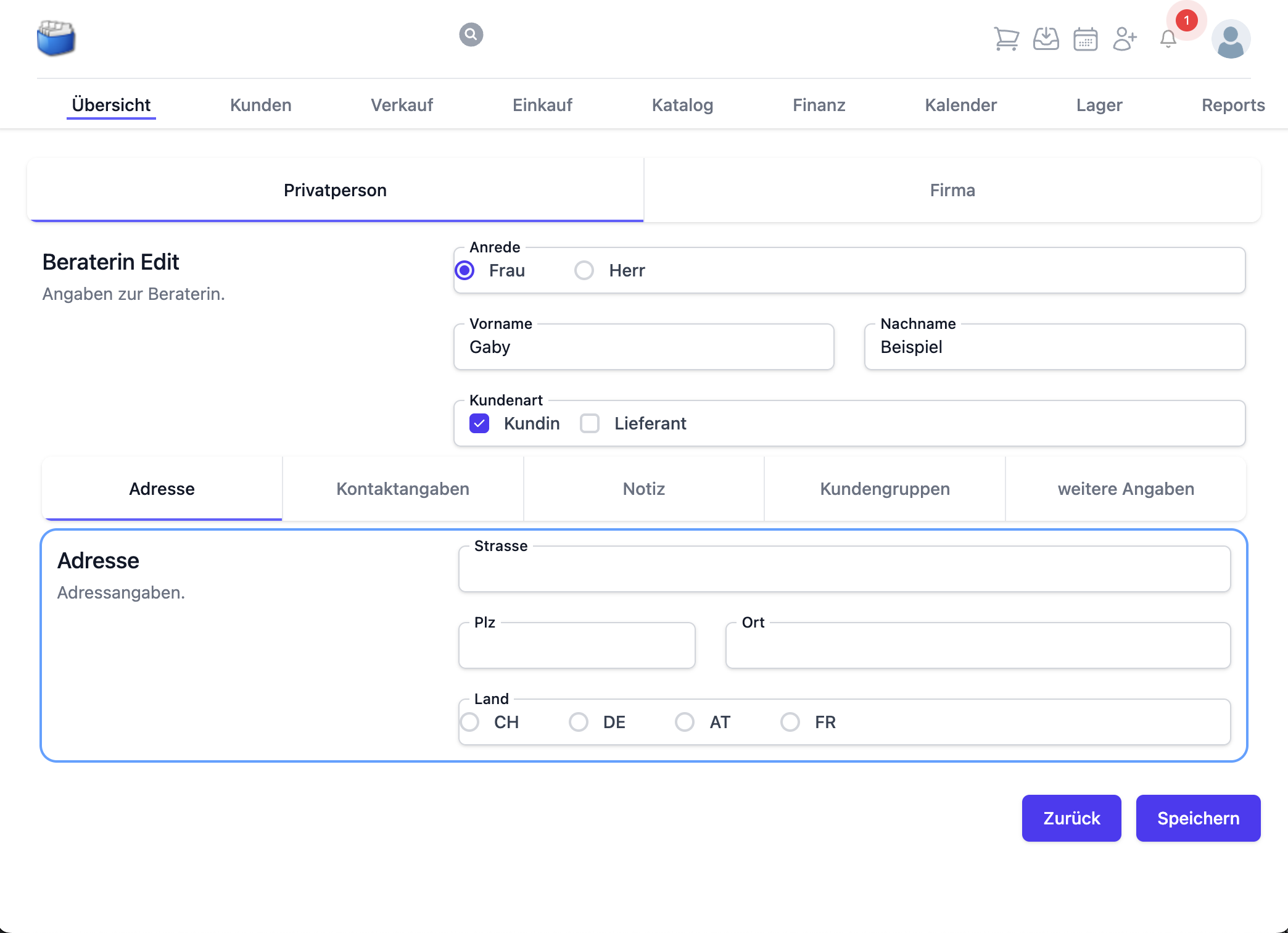
🧾 Address data
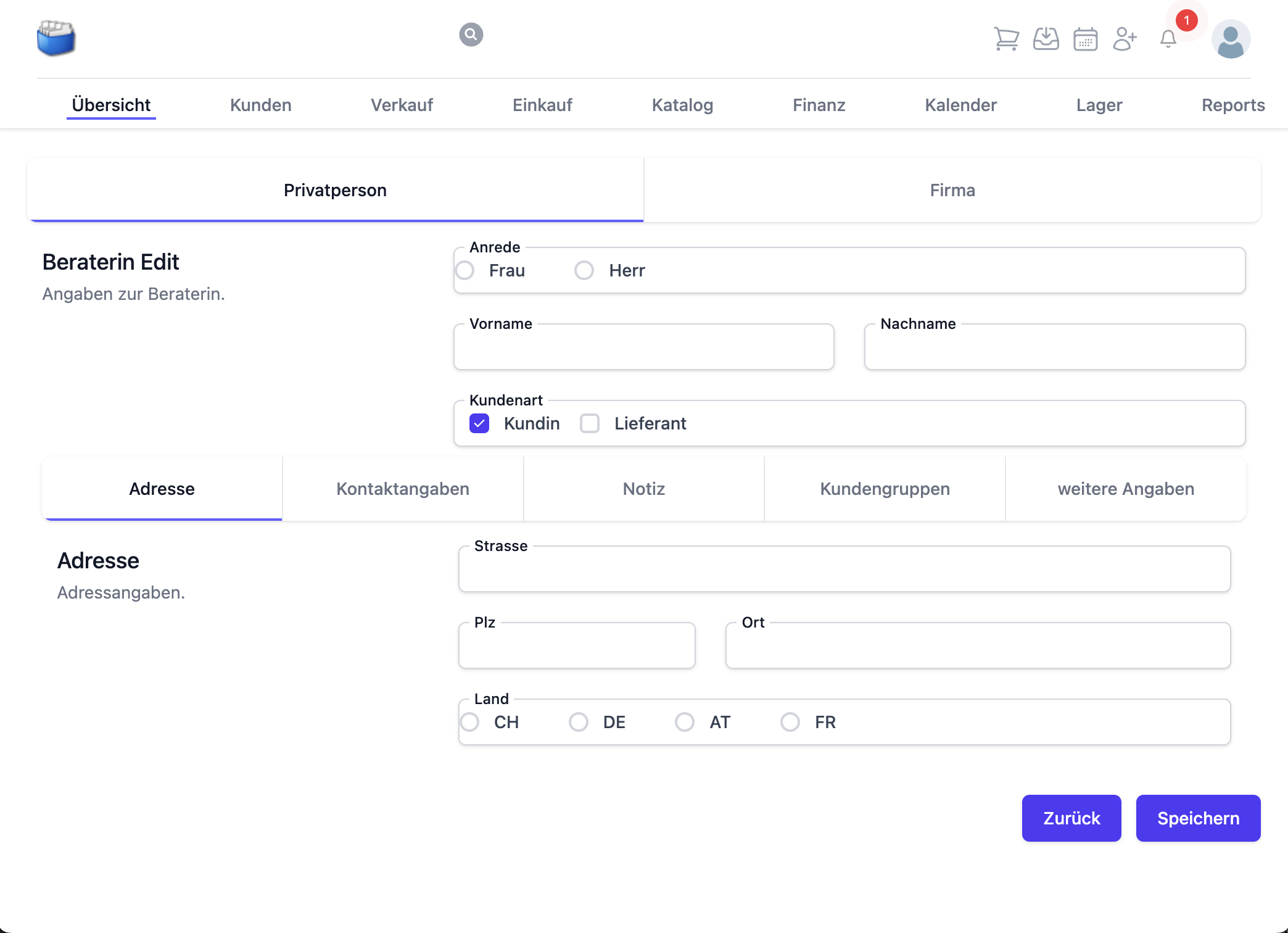
- Street
- Postcode, town
- Country (e.g. CH, DE, AT, FR)
Tip: use consistent spelling (e.g. “CH-8000 Zürich”) to ensure clean searching and sorting.
☎️ Contact details
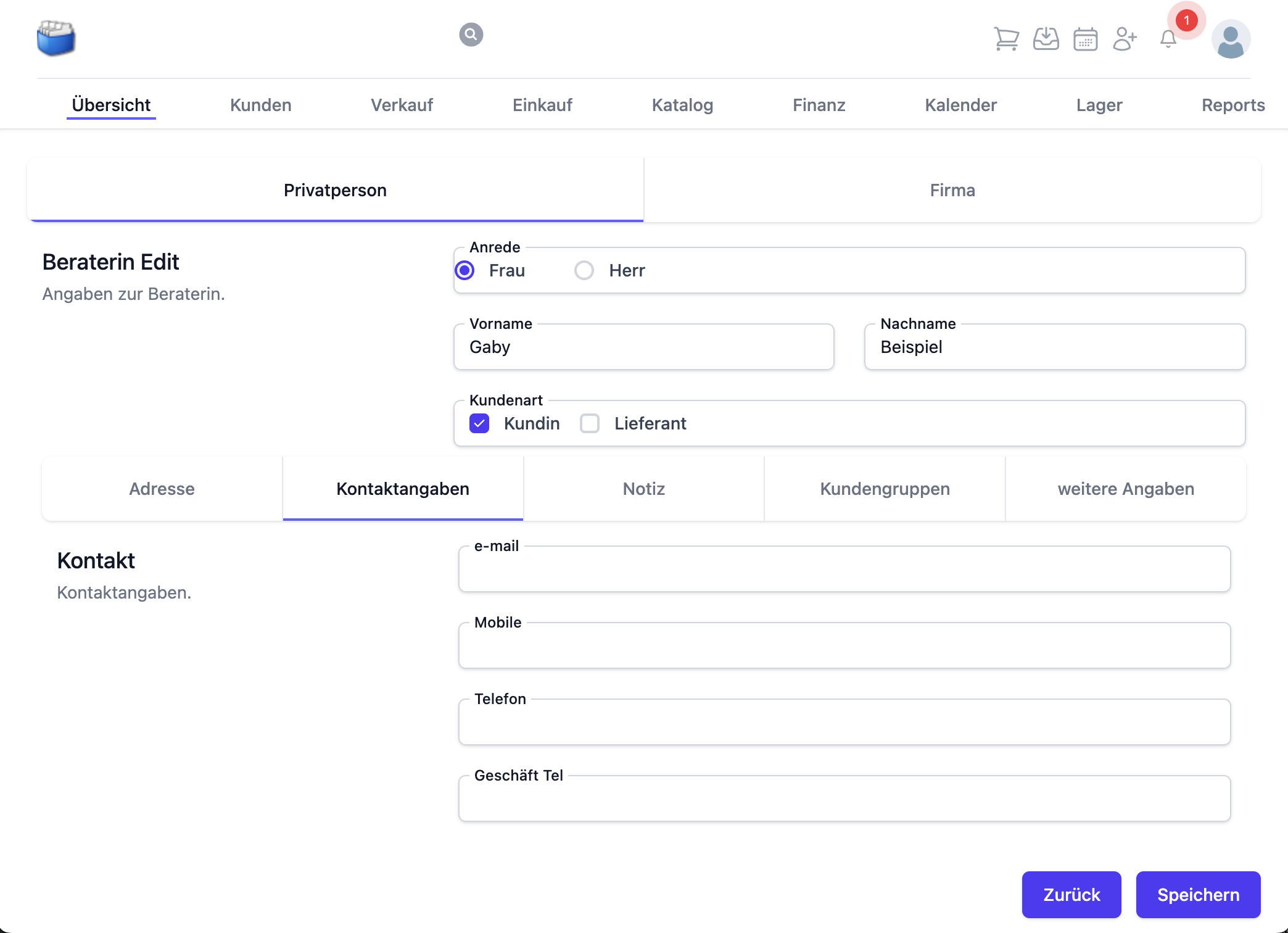
- Form of address
- First name and surname
- E‑mail, mobile, telephone
Recommendation: store at least one valid e‑mail address or telephone number, so that follow-up processes (quotes, invoices) work seamlessly.
📝 Notes
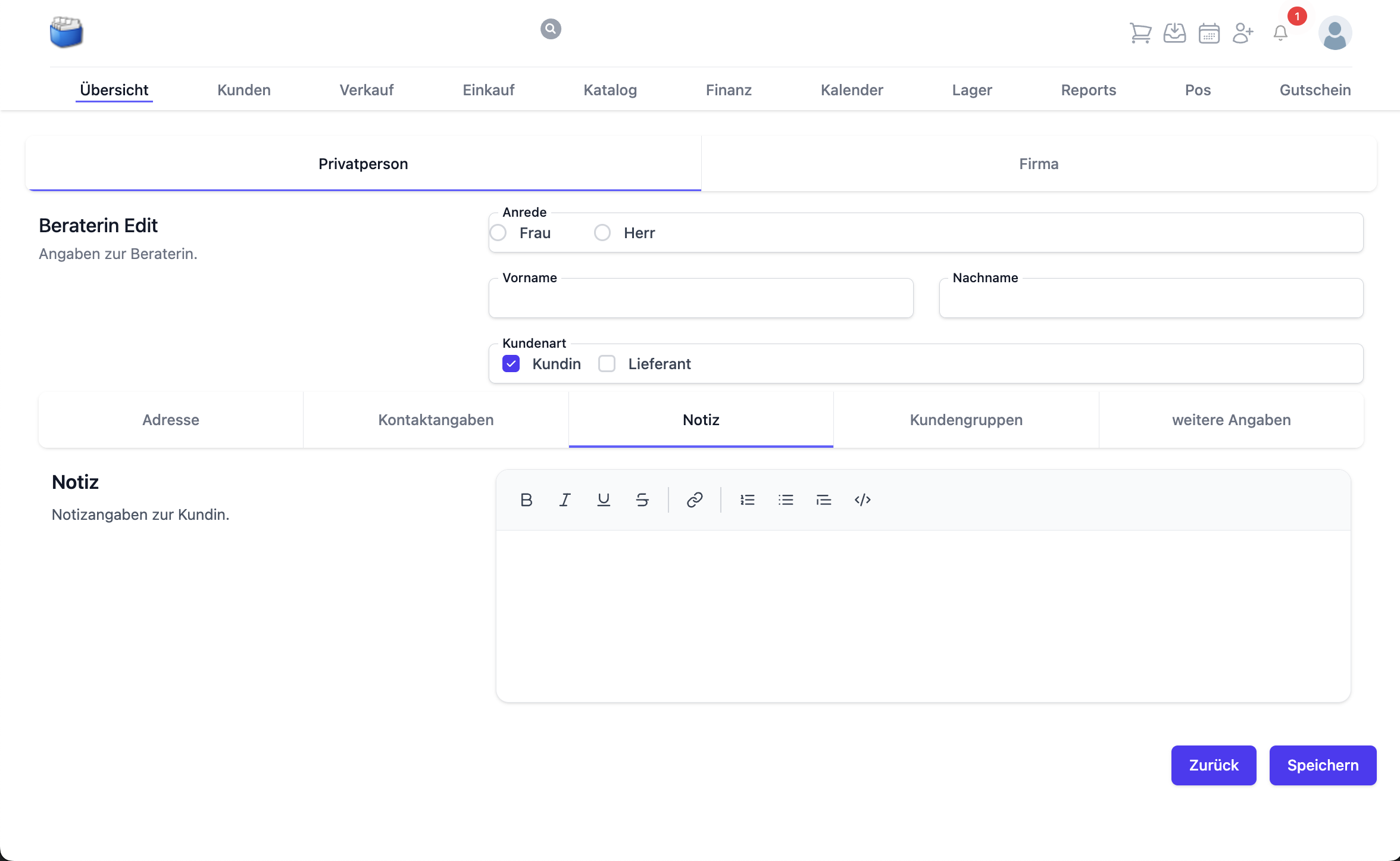
- Internal remarks, records of conversations, special features
Notes are only visible internally and support follow-up.
🏷️ Customer groups and tags
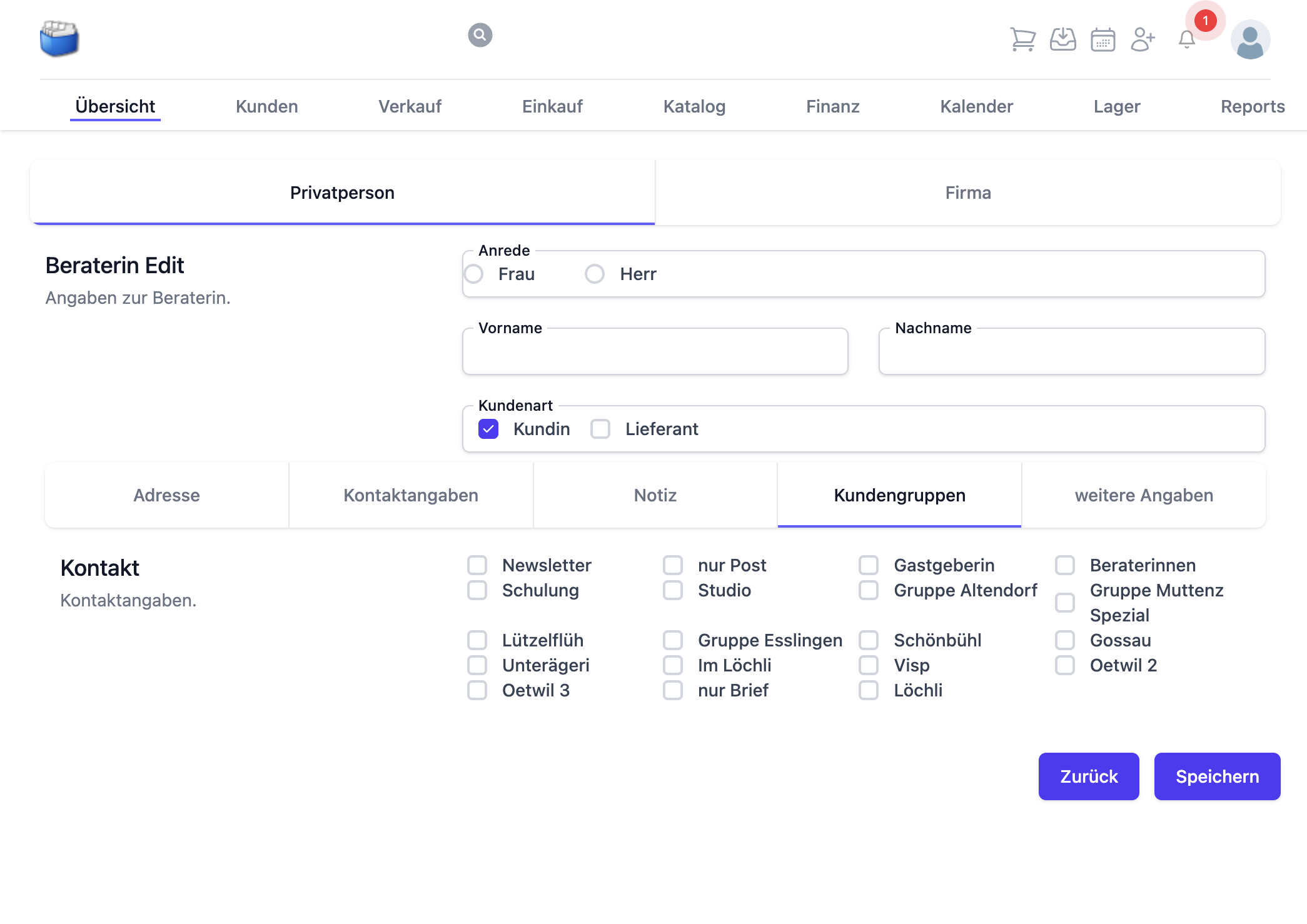
- Grouping, e.g. by region, segment, customer type
Tags allow flexible filtering in the customer list and in analyses.
⚙️ Further details
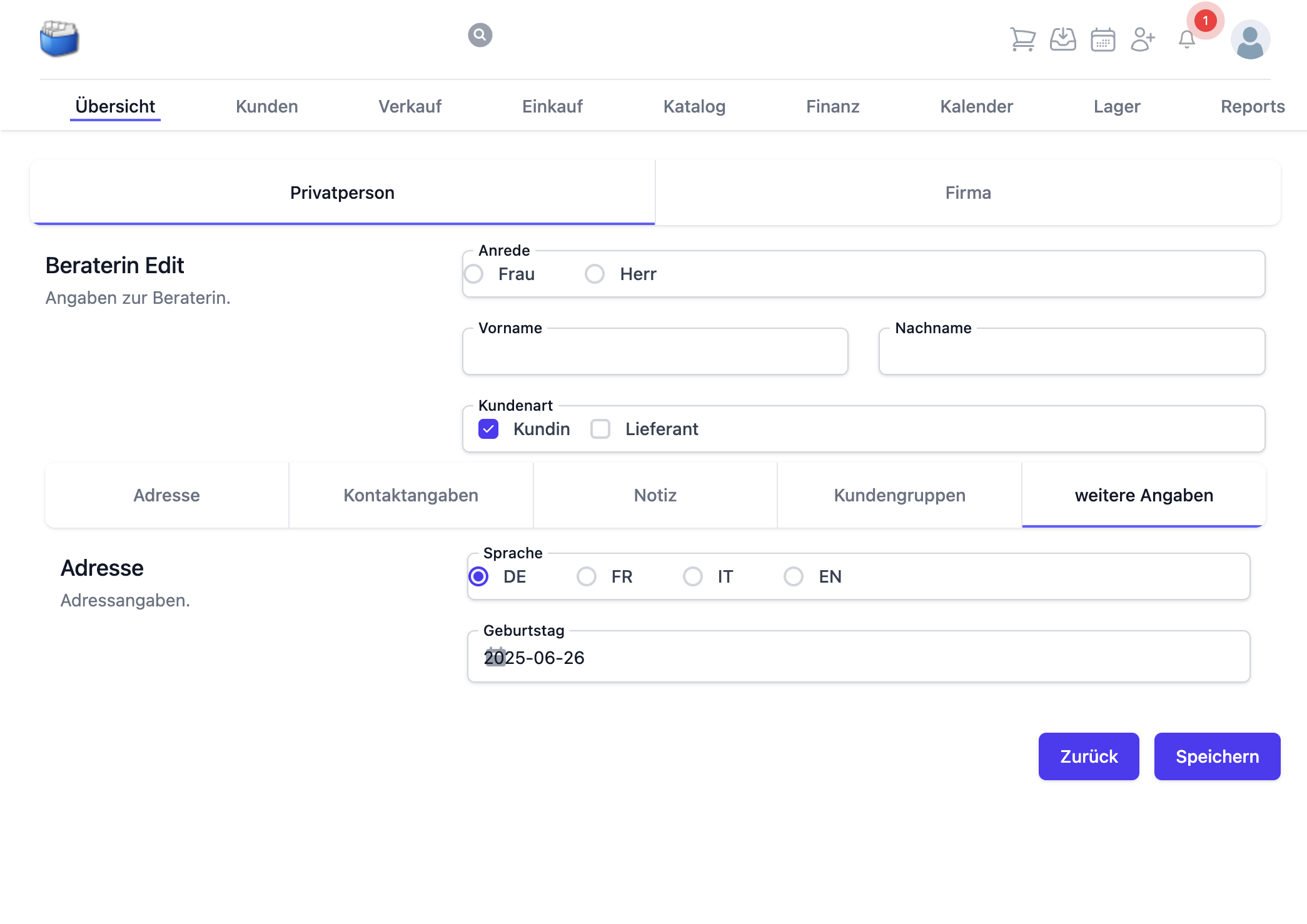
- Language, date of birth, optional additional fields
Set the correct language so that documents (quotes/invoices) are generated with the matching text modules.
✅ Example of a complete record
🏢 Special features for companies
📍 Company address
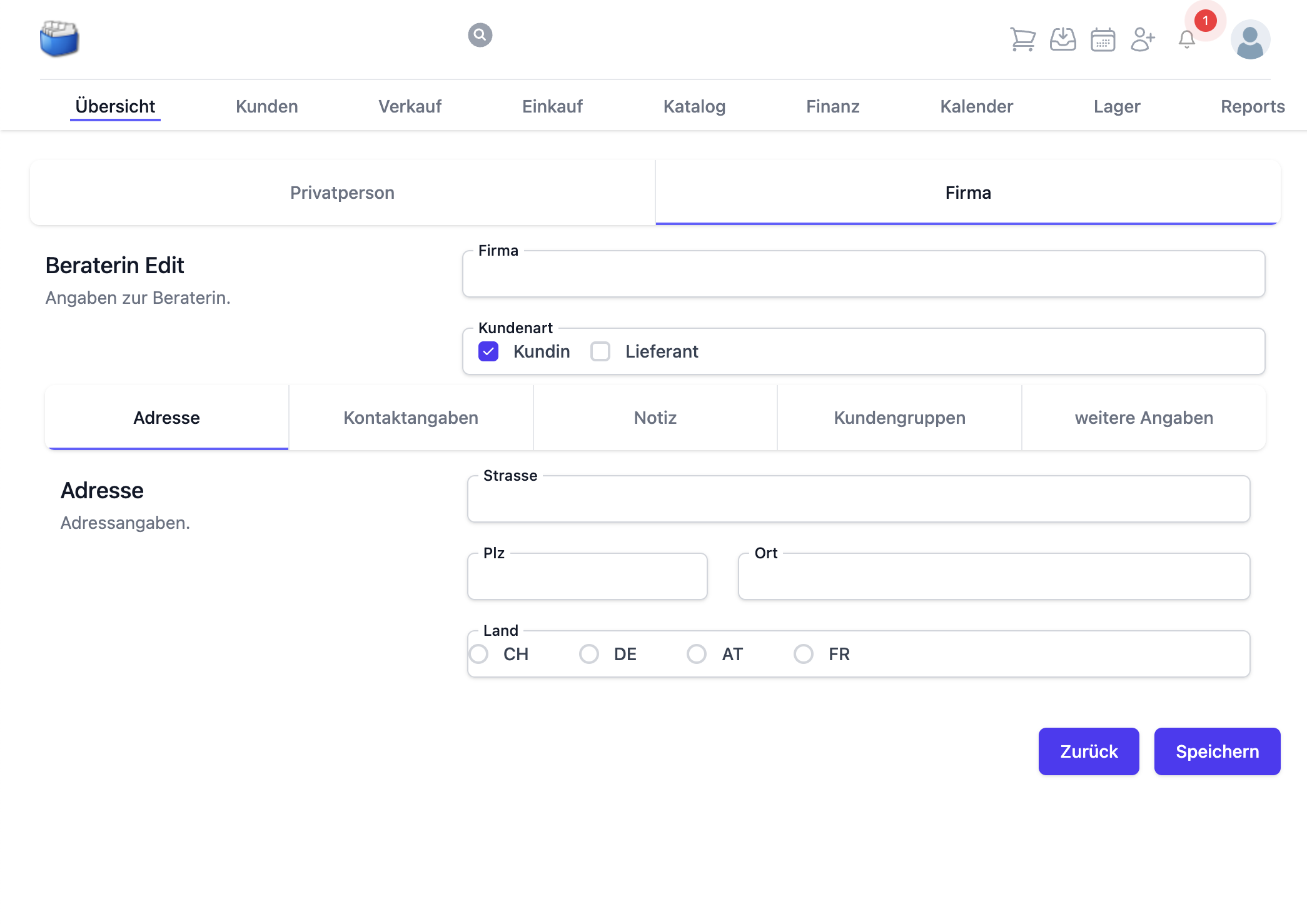
- Company name, legal form (optional)
- Head office/branch
☎️ Company contacts
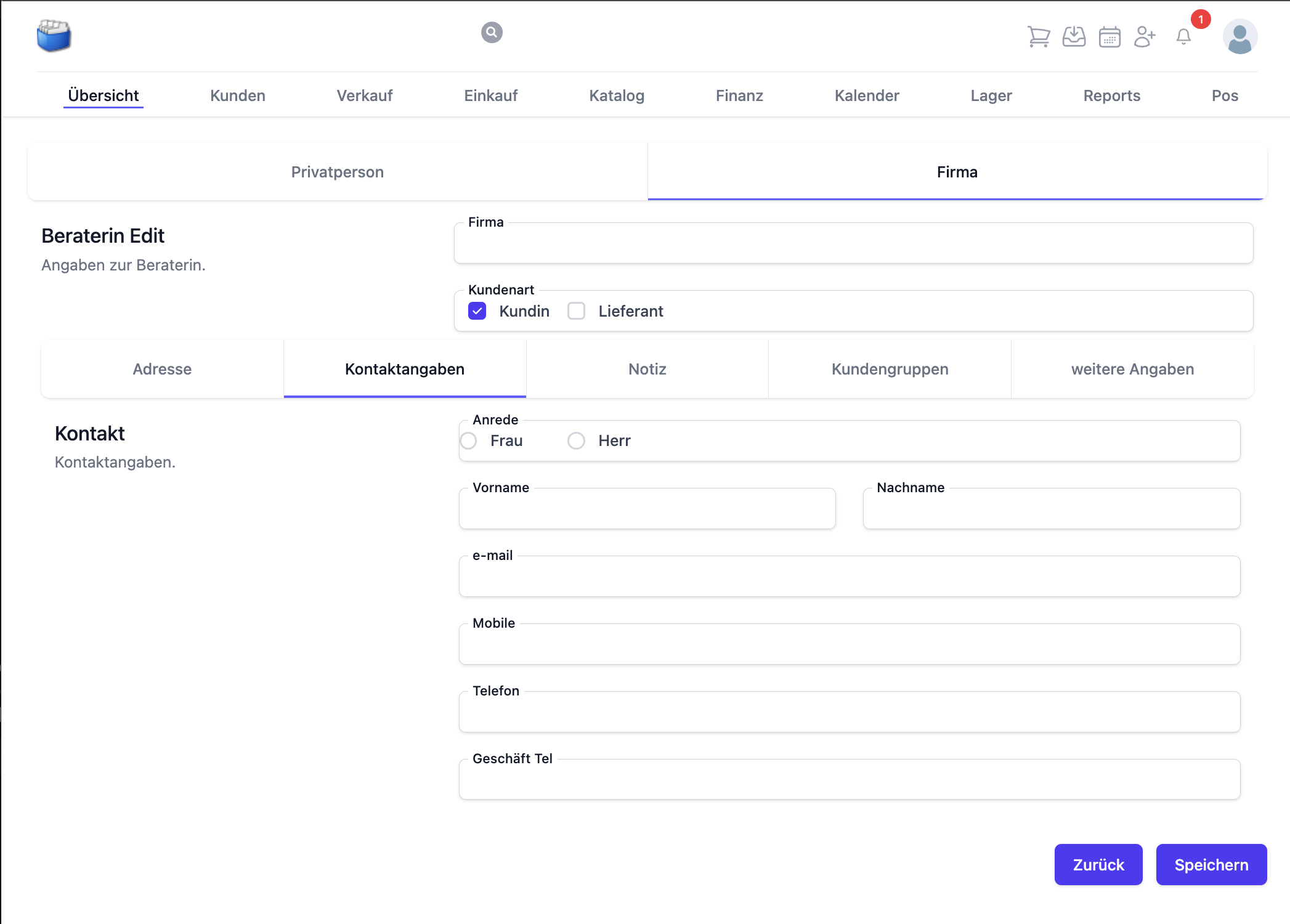
- Individual contact persons with role/function
- Several contact routes per contact person
Tip: create contact persons as separate contacts within the company so you can select them specifically in quotes/invoices.
📋 Customer overview and detail view
In the customer overview you see all customers and suppliers as a table:
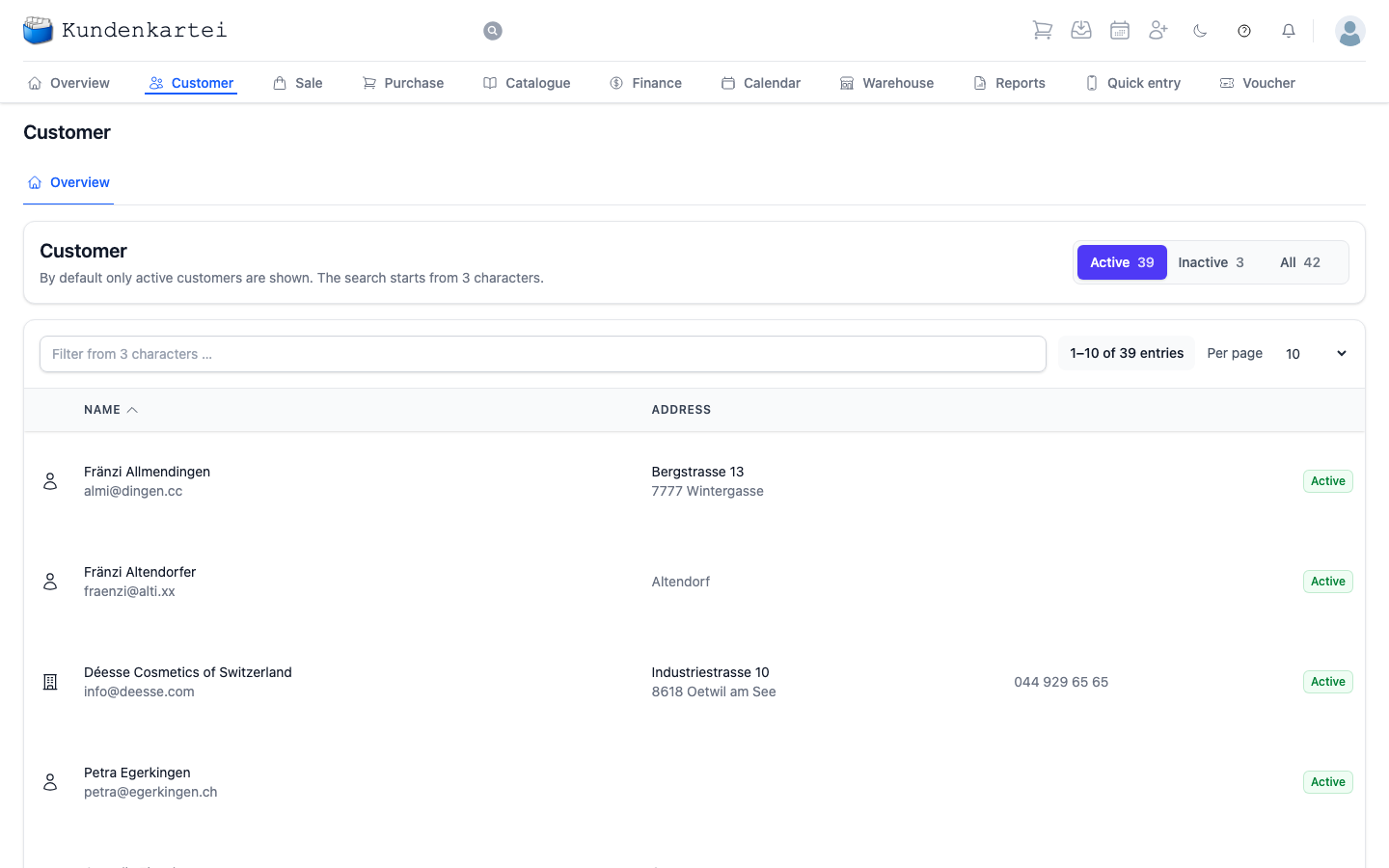
Clicking a row opens the detail view with all the information:
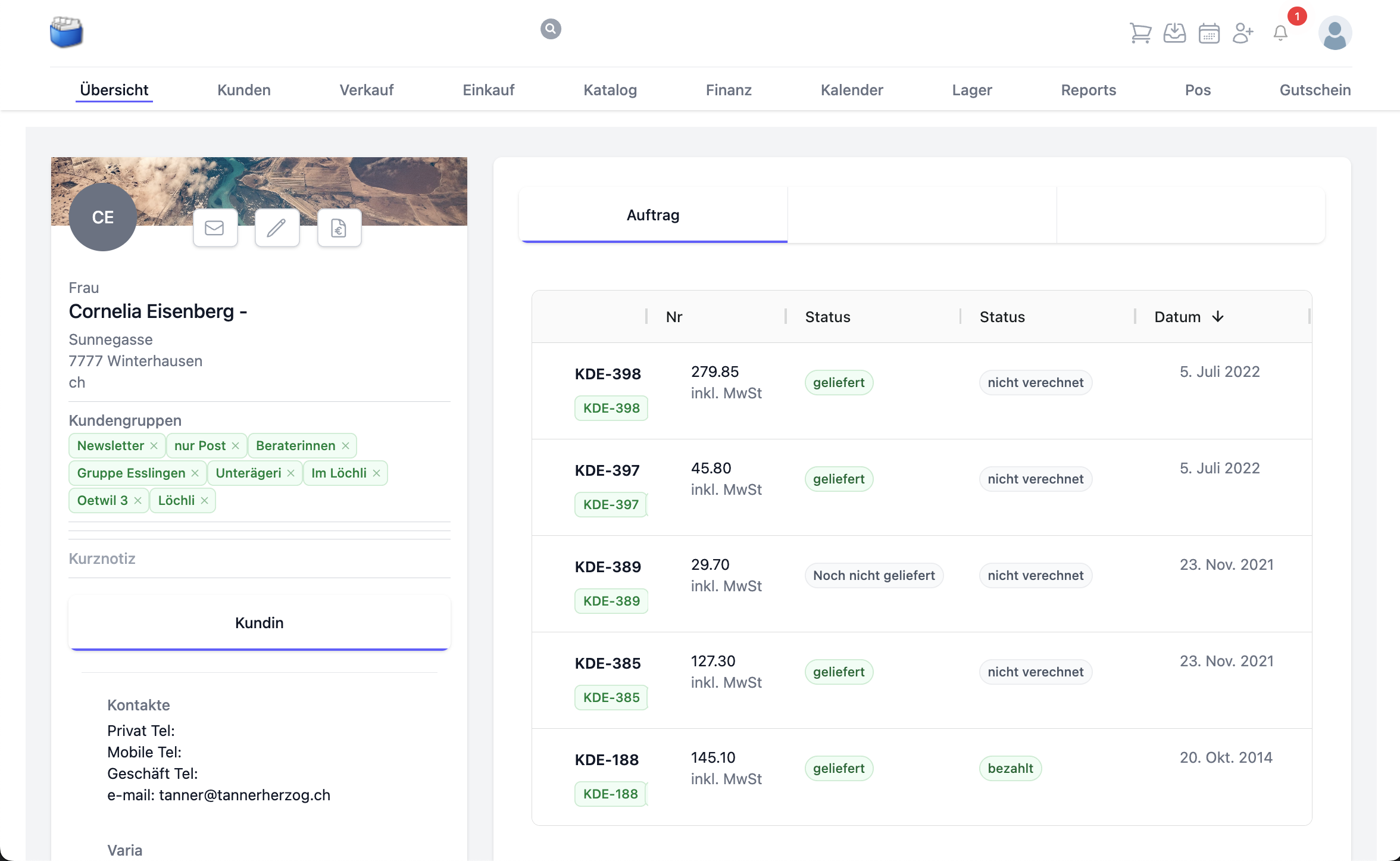
Searching, filtering, sorting
- Search by name, e‑mail, telephone number, town or tag
- Filter by contact type (customer, supplier), groups or tags
- Sort by name, town, creation date
Tip: save frequently used filters as bookmarks in your browser.
🧭 Advanced functions
🔄 Customer history
- Linked to quotes, invoices, payments
- Automatic documentation of activities
📱 Mobile use
- Customer management via Kundenkartei Go (in the mobile browser of your phone)
- Automatic cloud synchronisation
❓ Frequently asked questions (FAQ)
Why does a customer appear twice?
- A common cause: duplicate entry with slightly different spelling (e.g. “Müller GmbH” vs. “Mueller GmbH”).
- Remedy: search by e‑mail/telephone, check for duplicates in the overview and merge them if necessary (merge the contact, do not delete it).
Why can changes not be saved?
- Check whether the mandatory fields (e.g. name for a private individual, company name for a company) are filled in.
- Make sure e‑mail addresses are formatted correctly.
- Refresh the page if the session has expired and try again.
How do I change a private individual into a company afterwards (or the other way round)?
- Open the contact in the detail view.
- Adjust the contact type and add the missing fields (e.g. company name or first name/surname).
How do I find customers by tags or groups?
- Use the filters for groups/tags in the customer overview.
- Combine the search bar (free text) with filters for precise results.