Creating and managing vouchers and promotions
With the Kundenkartei web app you can use various sales and discount models – from the classic value voucher through to usage-based subscriptions or targeted promo codes. This page explains the differences, the use cases and the accounting treatment.
1️⃣ Definitions
| Type | Purpose | In accounting terms |
|---|---|---|
| Promo code | A discount campaign (e.g. 10 % on an order) | A reduction in revenue |
| Voucher | A value (e.g. CHF 50.–), paid for | A liability item |
| Subscription | Time-based or usage-based | Income in instalments / periodic |
| Credit note | A correction after a purchase or return | A reduction in receivables / refund |
2️⃣ Promo codes
Promo codes are campaign codes for winning new customers, for campaigns or for loyalty programmes.
Functions
- Percentage or fixed-amount discounts (e.g. 10 % / CHF 5.–)
- Conditions: minimum order value, target group, products
- Use: once, several times or unlimited
- Validity: a definable start and end date
Example: AUTUMN10 = 10 % discount on orders from CHF 50.–
3️⃣ Gift vouchers
A voucher is a value paid in advance that serves as a means of payment.
Functions
- A freely definable amount (e.g. CHF 25.–, CHF 100.–)
- Redeemable via quick entry or the order form
- Multiple redemptions with residual value logic
- The legal framework (CH): validity under the Code of Obligations is generally up to 10 years
Note: revenue only arises on redemption. Until then, the amount has to be carried as a liability.
4️⃣ Subscriptions
Subscriptions make it possible to manage services that are limited in time or based on usage.
Functions
- Validity, e.g. “3 months from the purchase date” or “5 visits”
- Extension or cancellation can be controlled manually
- Integration into accounting (e.g. periodic billing)
Subscriptions can be combined with customer or product groups (e.g. “VIP”, “course card”).
5️⃣ Credit notes
Credit notes are used for:
- Corrections after returns or incorrect invoices
- Refunds in the case of overpayment
- Transfers to the customer’s credit account
Functions
- Creation directly from the original invoice
- Representation of the payment status (e.g. partially paid)
- Recorded as a contra entry in accounting
- Optionally credited as a voucher value
🧩 A subscription – step by step
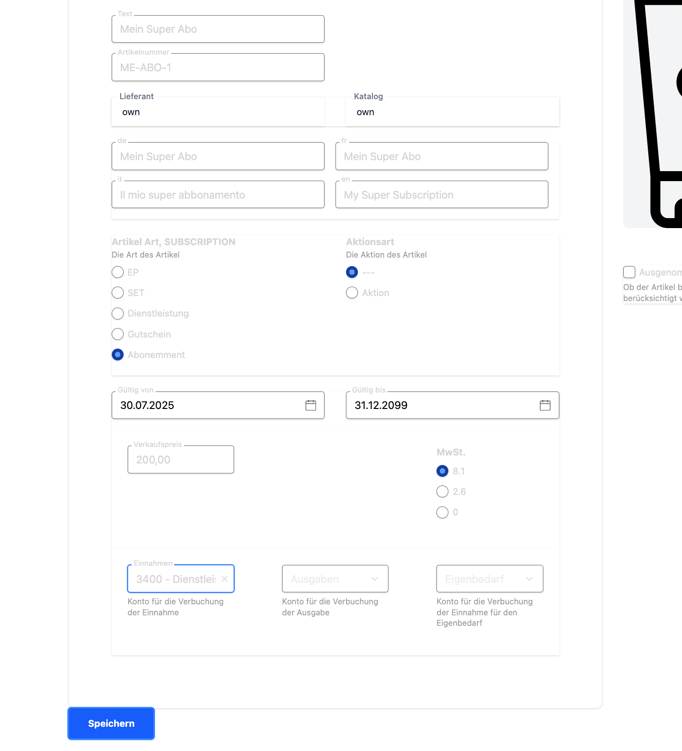
1) Create the subscription item in the catalogue
First you create a subscription item in the catalogue.
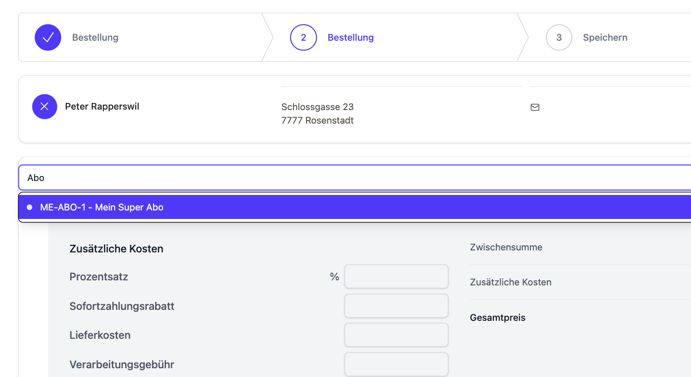
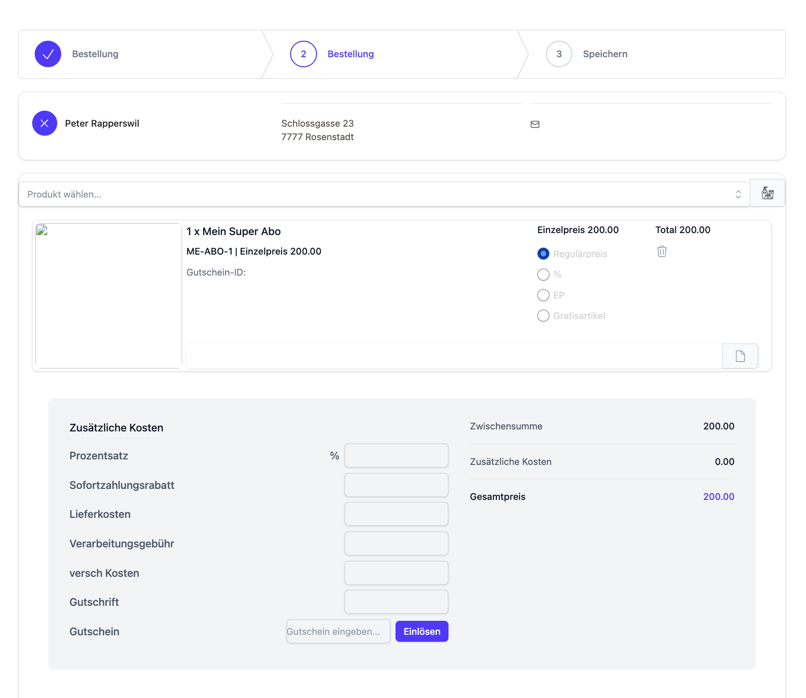
2) Sell the subscription
Add the subscription to the customer’s order like a normal item.
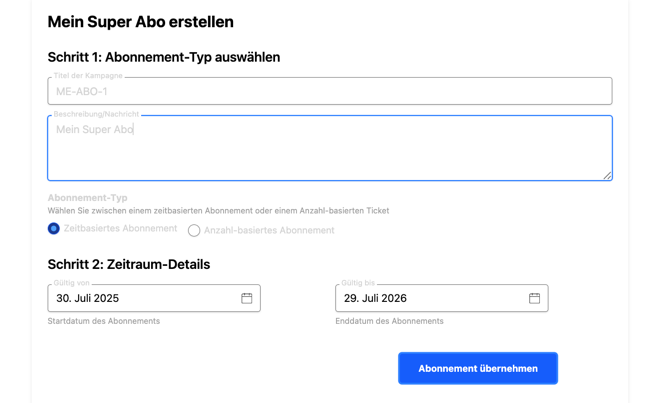
Define the type:
- Time-based: a start and end date
- Quantity-based: a number of uses/visits
3) View and use the subscription at the customer
The subscription appears in the customer’s detail view.
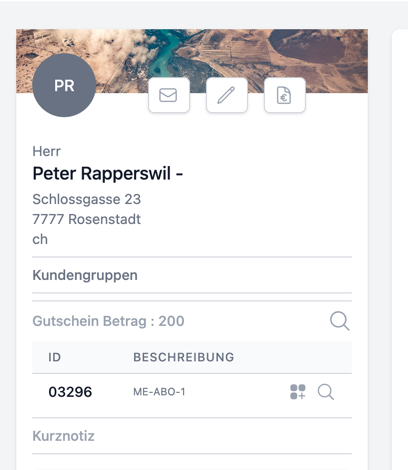
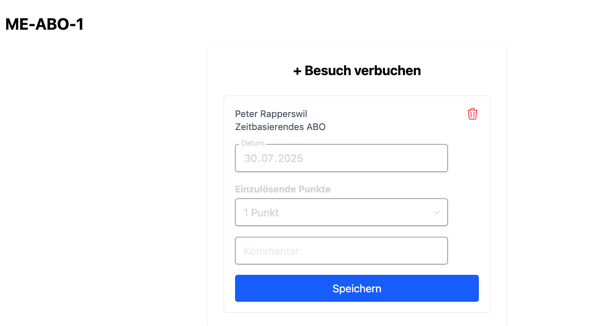
- First icon: record a visit
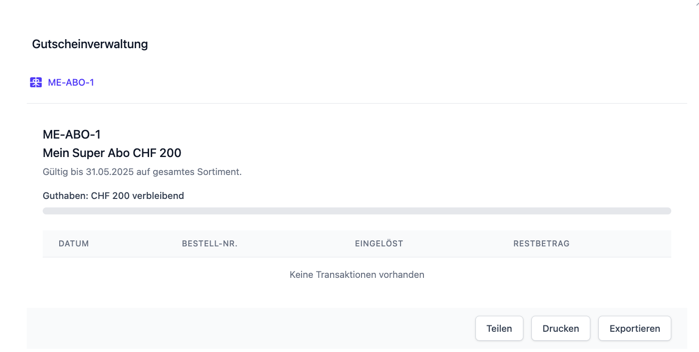
- Magnifier: open the subscription’s detail view
Tip: when recording, optionally note the location/service to keep the history meaningful.
🎟️ A voucher – step by step
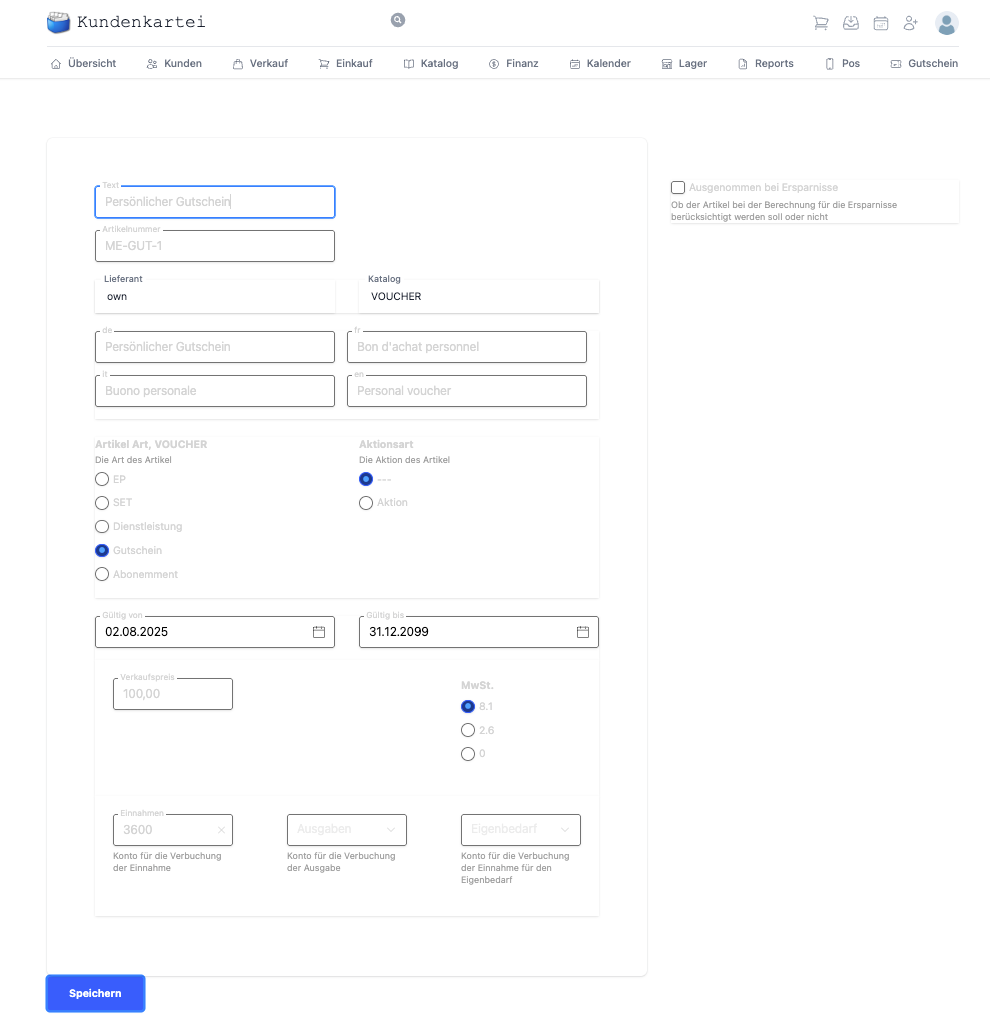
1) Create the voucher item
First create a voucher item in the catalogue.
2) Sell the voucher
Sell the voucher in an order like a normal item.
To do so, choose the voucher item in the item selection.
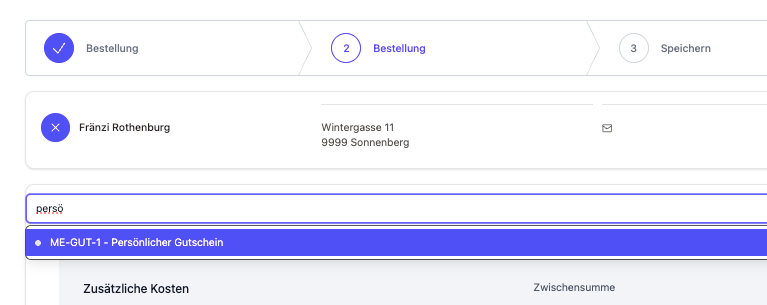
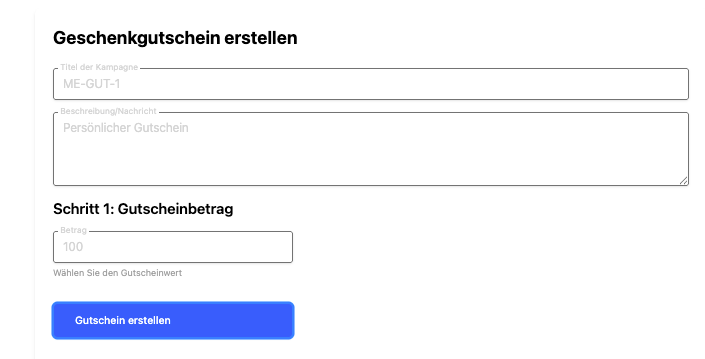
Record the individual details (e.g. the amount, a personal dedication).
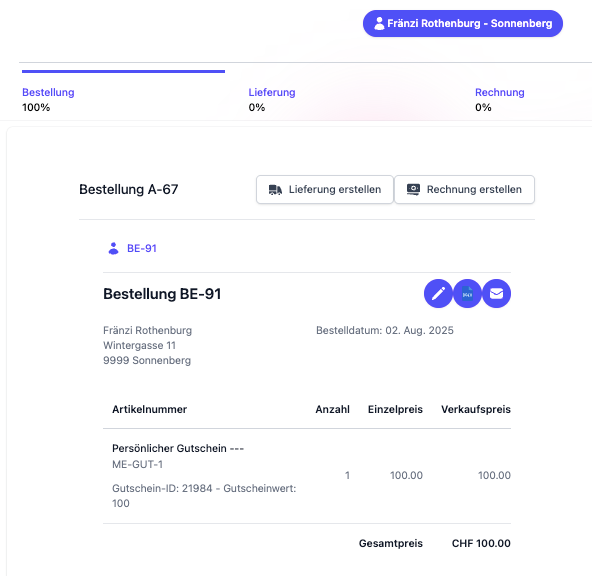
Save the order.
In the order you will find the unique voucher ID for later redemption.
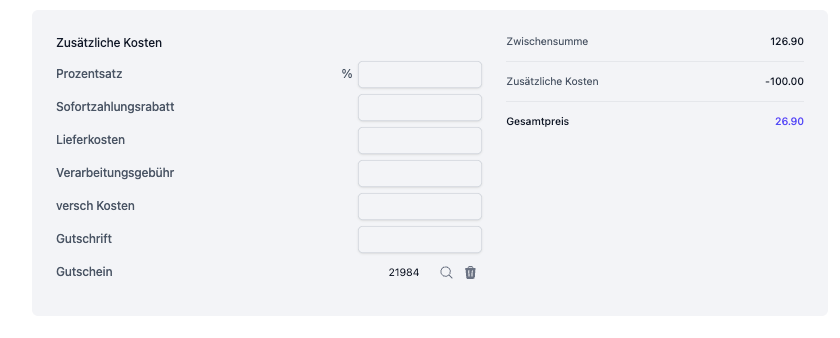
3) Redeem the voucher
Enter the voucher ID in the customer’s order to use the voucher.
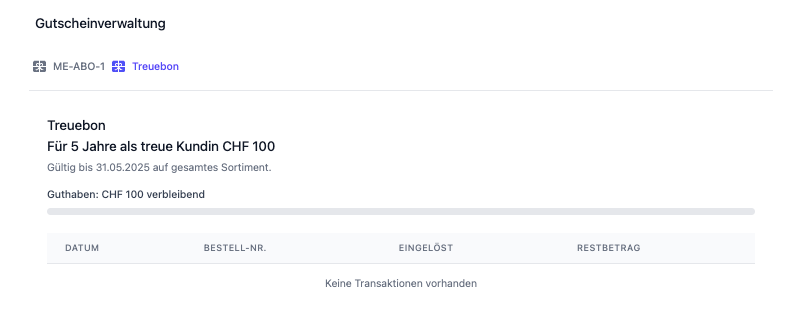
In the voucher detail view you then see the transaction and any remaining value.
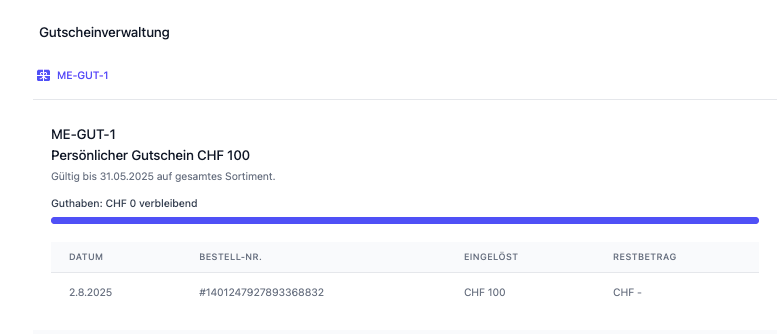
Best practice: show the voucher ID clearly and legibly on the receipt/card (barcode/QR).
↩️ A credit note – step by step
1) Create the credit note
Open the invoice concerned and click the credit note icon at the top right.
That opens the window for creating the credit note.
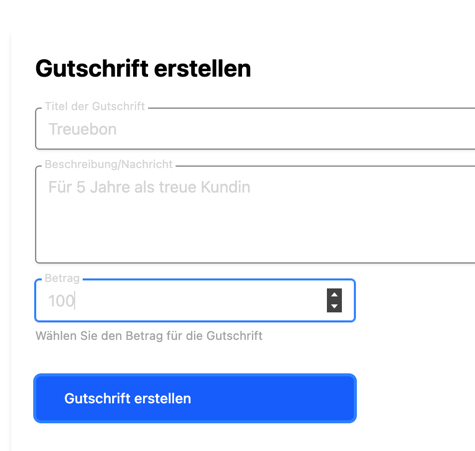
Close the window with “Create credit note”.
The credit note then appears in the overview.
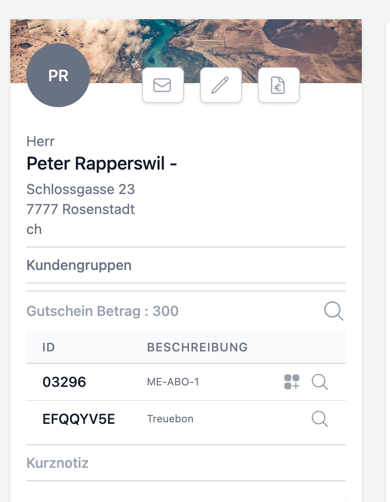
2) Redeem the credit note
You redeem a credit note in an order.
For that you need the credit note number from the customer overview. Enter it under the additional costs and click “Redeem”.
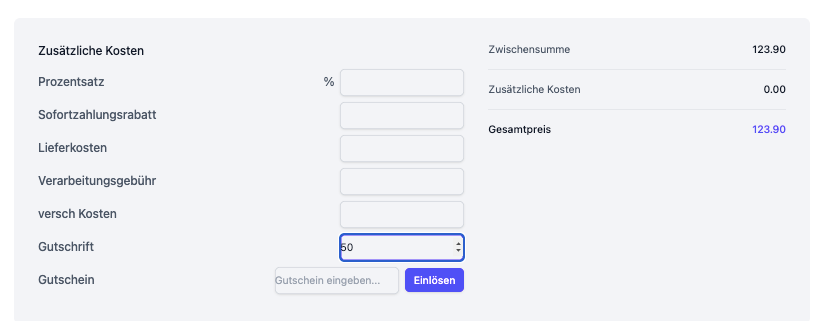
In the credit note details you can see the recorded transactions.
✅ Best practices
- Never delete vouchers – always work with a status (active, redeemed, expired)
- Keep series/number ranges unique (no overwriting)
- Always create credit notes with a reference to the original invoice
- Define clear rules for subscriptions (transferability, pauses, refunds)
- Reconcile voucher liabilities and redemptions regularly
❓ Frequently asked questions (FAQ)
Can I redeem a voucher partially?
Yes. The residual value is retained and can be used later.
The promo code does not work – why?
Check the validity period, the minimum order value, the eligible products or the maximum number of uses.
Can a subscription be paused?
Yes, depending on the configuration. Adjust the start/end date or note a pause in the subscription’s detail view.
How do I reverse an incorrect credit note?
Create a reversal credit note or contra entry and document the reason in the note.
🔗 Related modules
📝 Change history
| Version | Date | Changes |
|---|---|---|
| 1.2 | 20 August 2025 | Structure harmonised, step sequences expanded, FAQ and best practices added |
| 1.1 | 27 July 2025 | Structure and language revised |
| 1.0 | Original | First version |